Showing posts with label Snapcart. Show all posts

Thursday, July 20, 2017

Snapcart: Cash Back Process


So after using Snapcart for 3 month! It is finally time to try their cashout system. There has been bad reviews about this bit as some users claim that they did not receive their reward for uploading receipt. I started the cash our process last July 10 and I have receive the reward last July 14 without me knowing it.

3 ways of cashing out
This is the screen for the loading option

I did the bank transfer. You can also use your cash for loading up or a discount voucher from Zalora. This process took about 5 to 10 minutes as I was asked to complete my profile and add my bank details.

Adding your bank details:

Tap on "Add New Bank Account" if you haven't added one

Enter you bank details
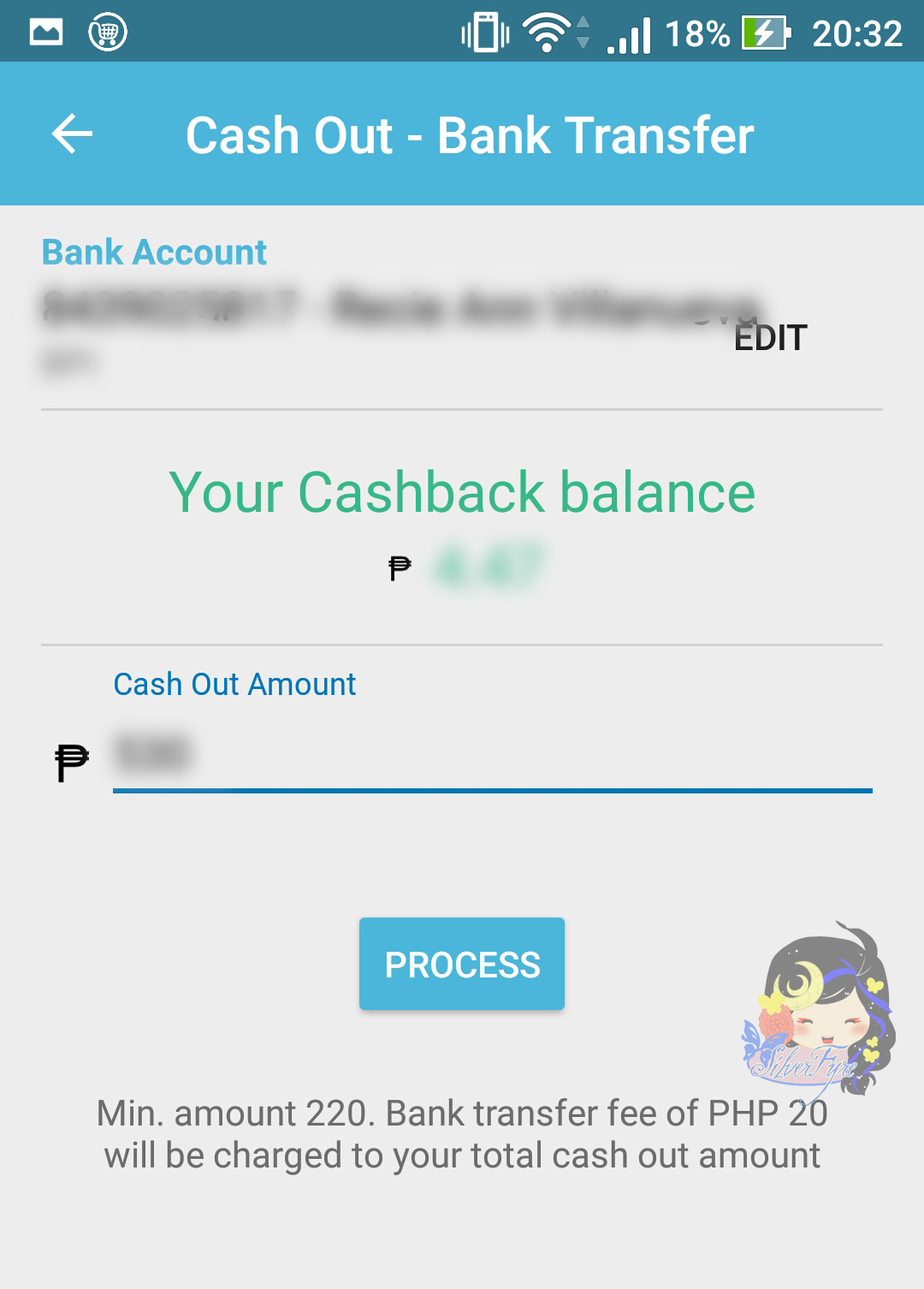
Then you are good to go. You can withdraw everything or you can just have a part of it. What confused me though is that if you tap on the cash out on the main screen you can read that the minimum cash out is P55, but in the photo below you can see that is has to be P220. There is also a remind that the bank will take P20 from your cashout as fee for something I assume.


Hit "process" and you are done.


This is where you can check all your cash out requests. I have asked what could be the reason a cash back request can be rejected, the support told me that it could be the name of the account is wrong and some users add the card number and not the account number. So, be careful with that one.

It still looks the same till now even though I have received it
This is what you will see if you have received the cashout.
I would say it was a pretty quick process, maybe they have improved the system as there was a lot of negative feedback. It only took 3 working days. What you tried this cashing out your Snapcart credits before? How was it?

Tuesday, March 28, 2017

Review: Snapcart


No this is not an app that can put filters on your shopping carts. Snapcart is an app that allows its users to take photos of their receipts from groceries, mini marts and drugstore and be eligible for a cashbacks.

It started in September 2015 in Indonesia. A year after the app was release in the Philippines. The developer's goal is to help companies gather data from the consumers in real time. It is a pretty awesome app, you get something back just for taking a photo of your receipts.

I have been using it for about two months now. So far, I have a total of Php 74 worth of cashbacks from 45 accepted receipts. I have 11 that was rejected due to it being old, not a valid channel and blurry ones.

Here are some rules if you plan to use Snapcart:

1. Plan when you snap.
 - You can only snap 3 times a day and you will need at least one valid receipt a week to level up.

2. Try to save receipts from supermarkets and mini mart
 - It is best if it is well printed and not faded

3. Make sure that the receipt is clean and it not crumpled.

4. Be ready to wait for the customer support team to reply to your inquiry or dispute.

5. If you are not sure if the receipt you have is valid, snap it anyway.
  - It is the best way to learn!

6. Before you can get your cash backs it has to amount to Php 100.
 - So, patience is a virtue!

There is a mini game in the app called Snap-tastic. Where you can win coins, cash backs and now Zalora points. There isn't a notice about the Zalora points though, you will need 500 points before you can cash it out, I'm not sure how much point is needed if want to buy something from the site.